Our verdict
The MacBook Air 13 M5 is a small laptop for email, documents, browsing, calls and a film at the end of the day. Apple's M5 chip and 16GB of memory (the working space your apps share) give the version we reviewed room for several browser tabs and a video call together. It is fanless, so it makes no cooling-fan noise, and at Apple's listed 1.23kg it slips easily into a bag. The 13.6-inch screen reaches 500 nits, Apple's figure for brightness, which helps in a bright room. The catches are only two USB-C ports and memory and storage that are soldered in, so choose the right version at the outset.
Buy it if
- Your days are mostly email, documents, browsing and calls
- You want a light laptop that stays quiet
- Two USB-C connections, or a small adapter, will cover your setup
Skip it if
- Your essential software needs Windows or a touchscreen
- You need several built-in ports for accessories
- You want to add memory or internal storage later
How it would fit your home
An everyday working rhythm
The M5 chip and 16GB of memory give several browser tabs, documents, email and a video call a sensible amount of room. Check any specialist software works on a Mac before switching.
A quiet laptop you can carry
At 1.23kg it is easier to carry than a larger work laptop, and with no fan it stays silent on calls. Handle one in a shop to judge the keyboard and weight yourself.
Planning your desk
List what you plug in: monitor, USB mouse, memory card, backup drive. The Air supports up to two external displays, but older connectors will need an adapter.
The details, in plain English
Screen and camera
The 13.6-inch display is Apple's listed size for this model. It reaches 500 nits of brightness, which gives useful headroom in a bright room. It refreshes at 60Hz, meaning 60 times a second: text stays clear, but scrolling looks less fluid than on some more expensive laptops. The 12MP Center Stage camera can keep you in frame as you move, and there are three microphones for calls. If you keep two large windows side by side all day, try the 15-inch model or add a monitor.
Battery
Apple quotes up to 15 hours of wireless web use under its own test conditions. Notebookcheck, an independent review site, recorded 16 hours 11 minutes in a Wi-Fi test with the screen set to 150 nits, but only 6 hours 39 minutes at maximum brightness. These are useful guides rather than promises. For email and documents away from a socket the evidence is encouraging; bright screens and long calls will shorten the day.
Connections and accessories
There are two USB-C ports that also work as Thunderbolt 4, a separate MagSafe charging connection and a headphone socket. Apple supports up to two external displays alongside the built-in screen. Older USB-A accessories, HDMI cables and SD cards may need an adapter or dock, so price your setup before comparing laptops. Apple's UK specification lists the power adapter separately, so check the retailer's box contents.
Memory and storage
Memory is the working space your apps share; storage is where your files live. Notebookcheck identifies both as soldered, so you cannot add more later. Choose the configuration for the work you expect to keep doing. This review covers the 16GB memory and 512GB storage version at the recorded price, and a cheaper configuration is a different purchase.
A good screen for a document, a film and a video call.
The 13.6-inch display gives you room for reading, writing and watching something after work without making this a large laptop. Apple lists 500 nits of brightness, which gives it useful headroom for a bright room.
If you often keep two large windows side by side or work through wide spreadsheets, try the 15-inch model or a separate monitor. The screen refreshes at 60Hz: text remains clear, but scrolling will not look as fluid as it does on some more expensive laptops.
The 12MP Center Stage camera can keep you framed as you move, and there are three microphones for calls. If calls dominate your day, it is worth seeing the camera and screen in person.
A strong battery, with room for real-life variation.
Apple quotes up to 15 hours of wireless web use, measured under its own test conditions. An independent review recorded 16 hours 11 minutes in a Wi-Fi test with the screen set to 150 nits, but 6 hours 39 minutes at maximum brightness. Those figures are useful context, not a promise that every workday will last that long.
For email, documents and browsing away from a socket, the evidence is encouraging. A bright screen, lengthy video calls or demanding work can shorten the day. Take the charger when a meeting or journey leaves no room for a flat battery.
The small desk setup detail that can add to the price.
A laptop can be a good purchase and still need an accessory you had not budgeted for. Write down what you connect on a normal day: a monitor, an old USB mouse, a memory card, a backup drive or a printer. Then check the connector on each one.
This Air has two USB-C / Thunderbolt 4 ports, a separate MagSafe charging connection and a headphone socket. Apple supports up to two external displays alongside the built-in screen. Older USB-A accessories, HDMI cables and SD cards may need an adapter or a compatible dock. Our advice: price that setup before comparing laptop prices.
Choose memory for your work. Storage for your files.
Memory is the working space your apps share; storage is where your photos, documents and downloads live. Paying for one does not increase the other. Start by checking the storage used on your current computer, rather than buying a larger number “just in case”.
Our buying advice: put your actual apps on a list. For specialist creative, engineering or business software, check its Mac compatibility and recommended memory with the developer. If your current laptop is already comfortable with your workload, do not assume a more expensive configuration will make that workload meaningfully better.
Already have a recent MacBook Air?
Name the problem an upgrade would solve. A failing battery, too little storage or a work app that keeps you waiting is a clearer reason than a newer chip name. If the problem is mostly a crowded screen, a separate monitor may be the more useful purchase.
For a discounted older Air, compare the same memory and storage, its condition and its warranty. Our conclusion: a lower headline price is not automatically a better deal, but an M5 is not automatically a necessary upgrade either.
Strengths and drawbacks
What it does well
- Fanless design: no cooling-fan noise in a quiet room or on a call
- 1.23kg (Apple's listed weight) and a 13.6-inch screen: easy to carry, with room to read and write
- Strong battery in light use: Notebookcheck recorded 16 hours 11 minutes in a Wi-Fi test at 150 nits
- 12MP Center Stage camera and three microphones for video calls
- Two USB-C / Thunderbolt 4 ports plus a separate MagSafe charging port
What to watch out for
- Only two USB-C ports: older USB-A accessories, HDMI cables and SD cards need an adapter or dock
- Memory and storage are soldered in, so you cannot upgrade them later
- The 60Hz screen makes scrolling less fluid than on some pricier laptops
- Battery life falls to 6 hours 39 minutes at maximum brightness in Notebookcheck's test
- Apple's UK specification lists the power adapter separately, so check the box contents
The £1,099 figure is the price recorded for the 13-inch M5 Air with 16GB memory and 512GB storage. If screen space is your real problem, price a separate monitor alongside it.
Make the Apple MacBook Air 13 M5 easier to live with
Add-ons that answer a drawback we named above. Check compatibility with your exact model before buying.
Solves: only two USB-C ports: older USB-A accessories, HDMI cables and SD cards need an adapter or dock
Belkin Connect USB-C 7-in-1 Multiport Hub Adapter AVC009btSGY Not yet reviewed by us
Adds sockets for USB-A accessories, an HDMI display or memory cards when the laptop’s built-in ports are too few.
Check first: Host USB-C must support the required video/charging functions. This hub is not a high-refresh gaming dock.
Solves: battery life falls to 6 hours 39 minutes at maximum brightness in Notebookcheck's test
Belkin BoostCharge Pro 3-Port Laptop Power Bank 20K, BPB020btBK Not yet reviewed by us
Adds portable power when demanding use shortens time away from a socket. A 65W bank may only slow battery loss on a high-power laptop; it is not a replacement for its full-power mains adapter.
Check first: Adds stored power, not a faster phone or a guarantee of full recharges. Check port sharing, cable and actual host charging; it adds weight.
Think about the whole purchase
A suitable charger
Apple’s current UK specification lists the power adapter separately. Check the retailer’s box contents before adding another one.
Your desk accessories
Allow for a compatible adapter or dock if your existing equipment needs it.
Your essential apps
Check Mac compatibility, licence transfers and any subscription cost before switching.
Good questions to ask
Is the screen poor because it is 60Hz?
No. The figure describes how often it refreshes, not whether text is readable. Notebookcheck confirms a 60Hz panel: scrolling is less fluid than on some premium screens. Try scrolling a document in a shop if that difference matters to you.
Can I add more memory or internal storage later?
Notebookcheck identifies soldered memory and storage. Choose the internal configuration for the work you expect to keep doing. External storage can hold files, but does not increase the memory available to apps.
Should I choose the 13-inch or a larger model?
Our advice: take a typical document or spreadsheet to a shop and try both. Choose for the balance between carrying it and seeing enough of your work. If it will mostly stay at a desk, also consider the space and cost of a separate monitor.
Alternatives we have reviewed
| Product | Our verdict | Price | Buy |
|---|---|---|---|
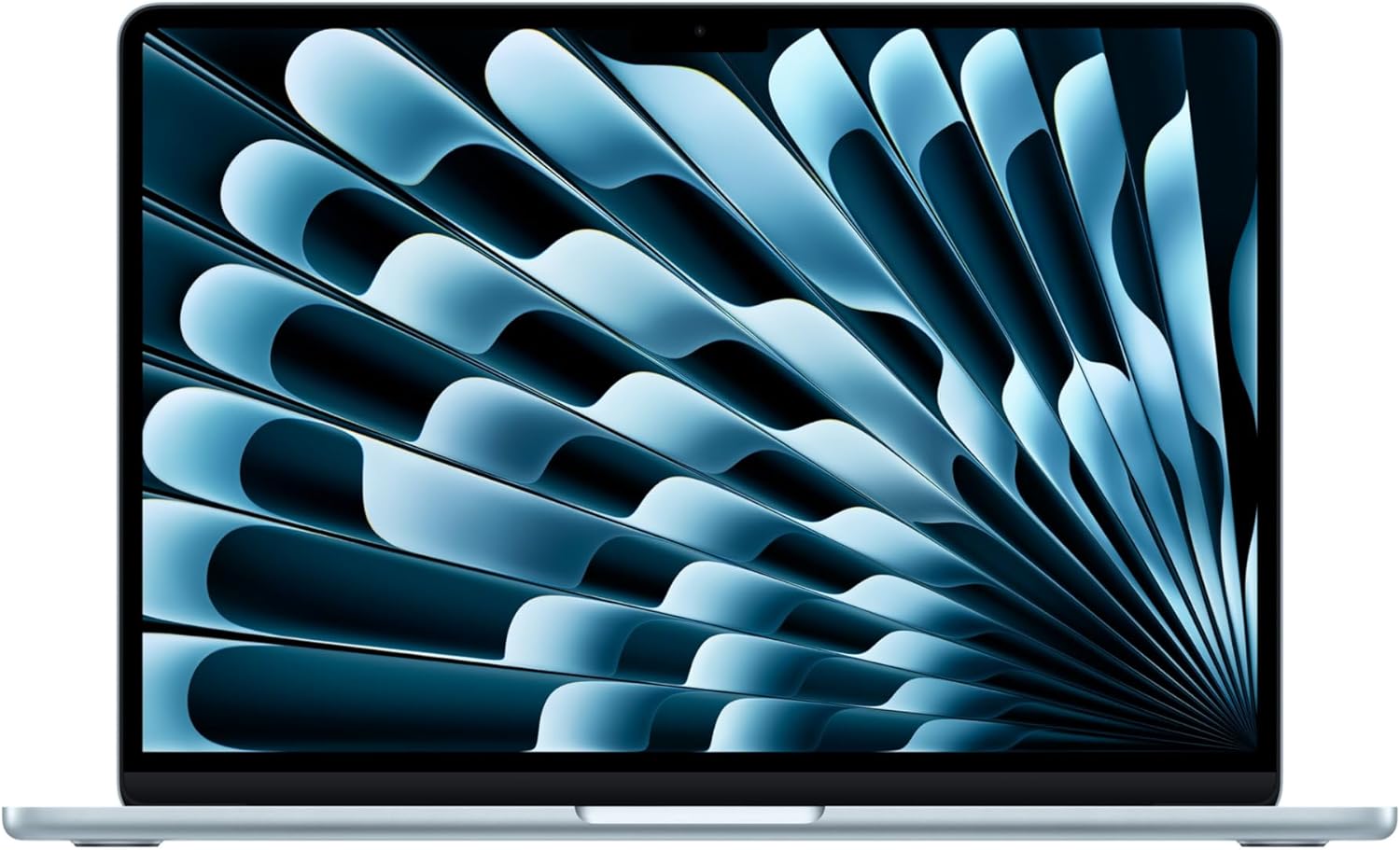 Apple MacBook Air 13 M5 (this one) | A strong fit for portable everyday work, if two USB-C ports and memory you cannot upgrade suit the way you use a laptop. | £1,099RRP · 13-inch, 16GB memory and 512GB storage, RRP recorded 12 Oct 2026 | Check price |
 Apple MacBook Air 13-inch (M4) | The easiest laptop to recommend for most Apple-friendly households, as long as you can live with two ports and do not need Windows-only software. | £1,199RRP · 16GB memory and 512GB storage, RRP recorded 12 Oct 2026 | Read the review |
 Apple MacBook Pro 14-inch (M5) | A superb work laptop for anyone who needs long battery life and dependable speed for demanding creative or professional work. | £1,699RRP · 16GB/1TB, RRP recorded 12 Oct 2026 | Check price |
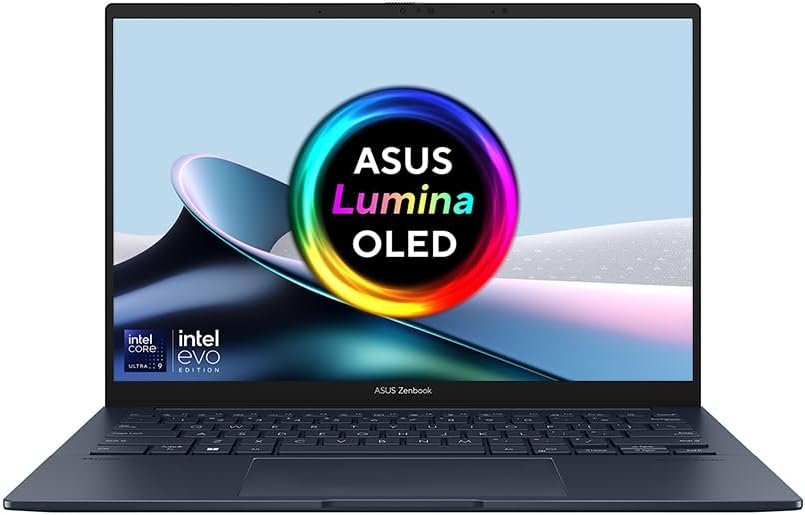 ASUS Zenbook 14 OLED | A light 14-inch laptop with a sharp OLED screen and generous memory and storage, worth £1,099 mainly if you will actually use the 32GB and 1TB. | £1,09932 GB fast memory · 1 TB storage, Price recorded 1 Aug 2026 | Read the review |
Worth reading next
Where our findings come from
Research-based assessment. UKTechExpert has not handled this review unit. Apple UK specifications and independent product measurements were checked for this revision; the practical buying recommendations are our interpretation. Recorded retailer prices have not been refreshed.