SMALL STEPS. USEFUL SKILLS.
Adjust sound for clearer dialogue
Make speech easier to follow without turning up the whole volume.
Use the pictures where shown. Follow the short instructions between them.
STEP 1 OF 7
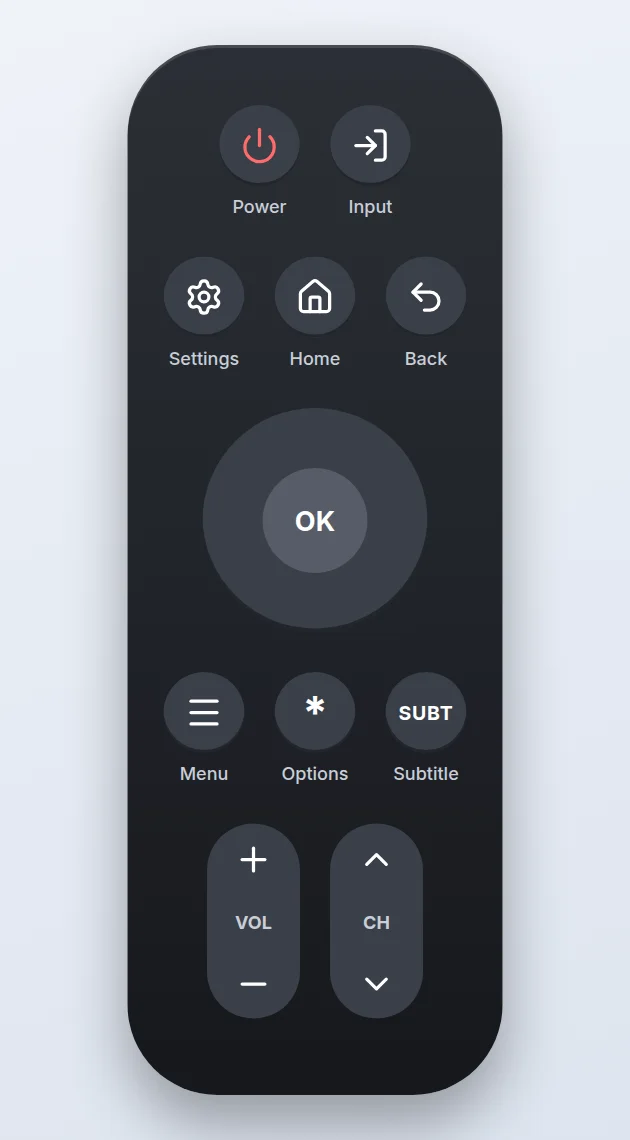
Press Home
Press the Home button on your remote.
Prefer to see all the steps together?+
STEP 1
Press Home
Press the Home button on your remote.
STEP 2
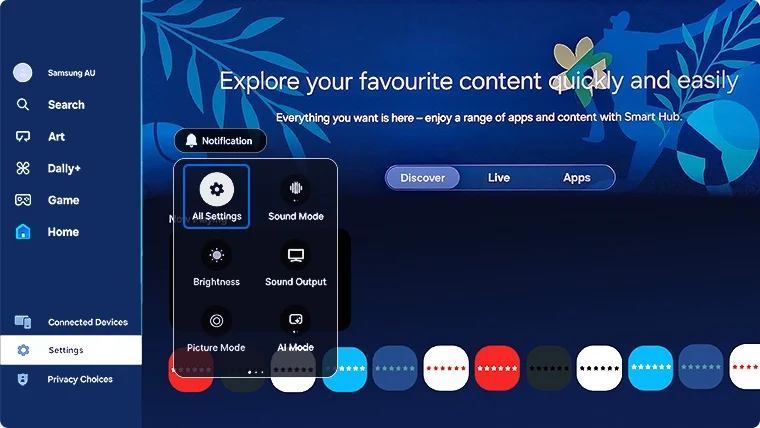
Open Settings
Select Settings in the menu on the left.
STEP 3
Open All Settings
Select All Settings.
STEP 4
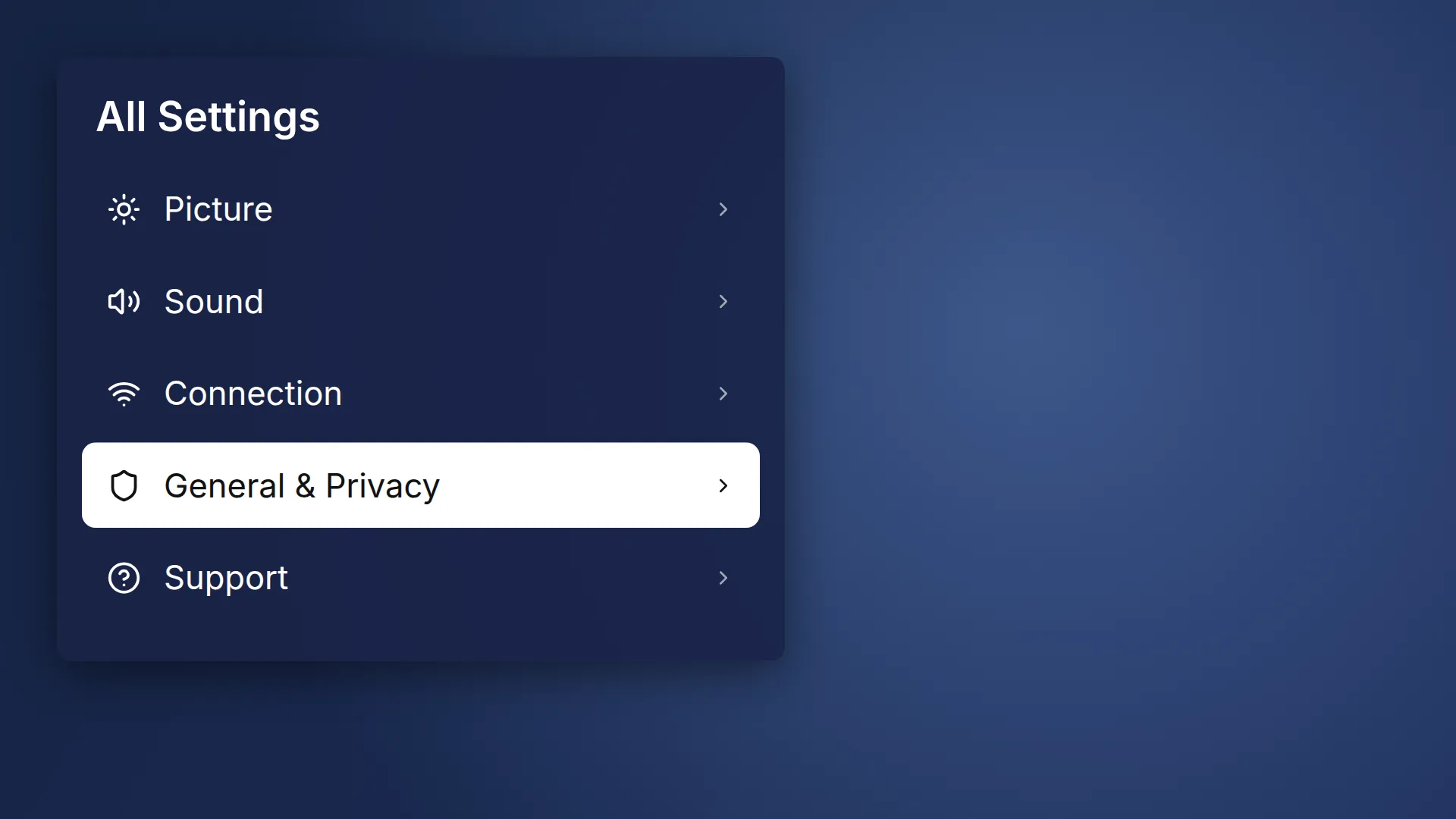
Open General & Privacy
Select General & Privacy.
STEP 5
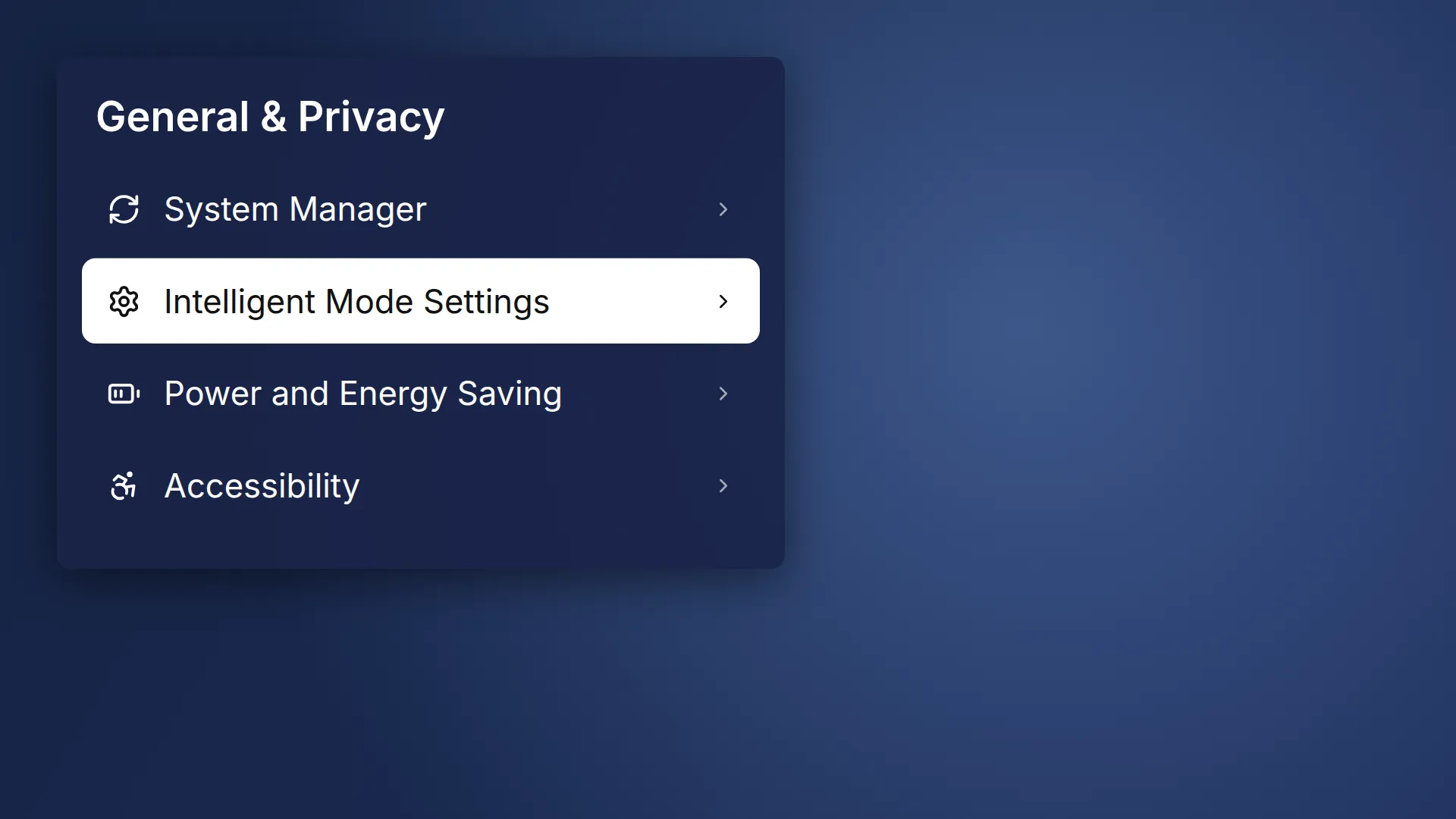
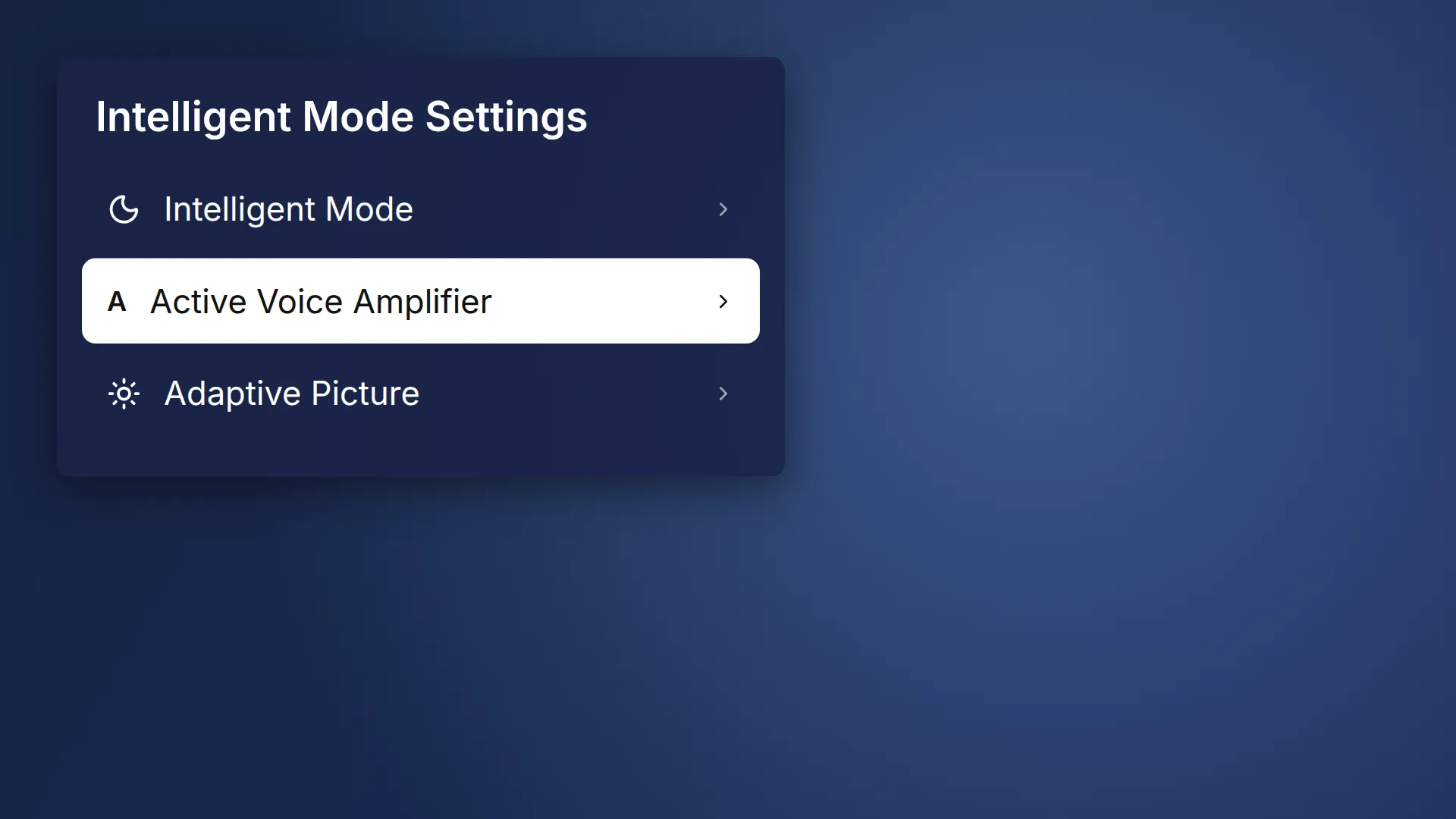
Open Intelligent Mode Settings
Select Intelligent Mode Settings.
STEP 6
Select Active Voice Amplifier
It only works through the TV speakers. On 2025 models, look in Advanced Features, then AI Mode Settings, then Adaptive Sound Settings.
STEP 7
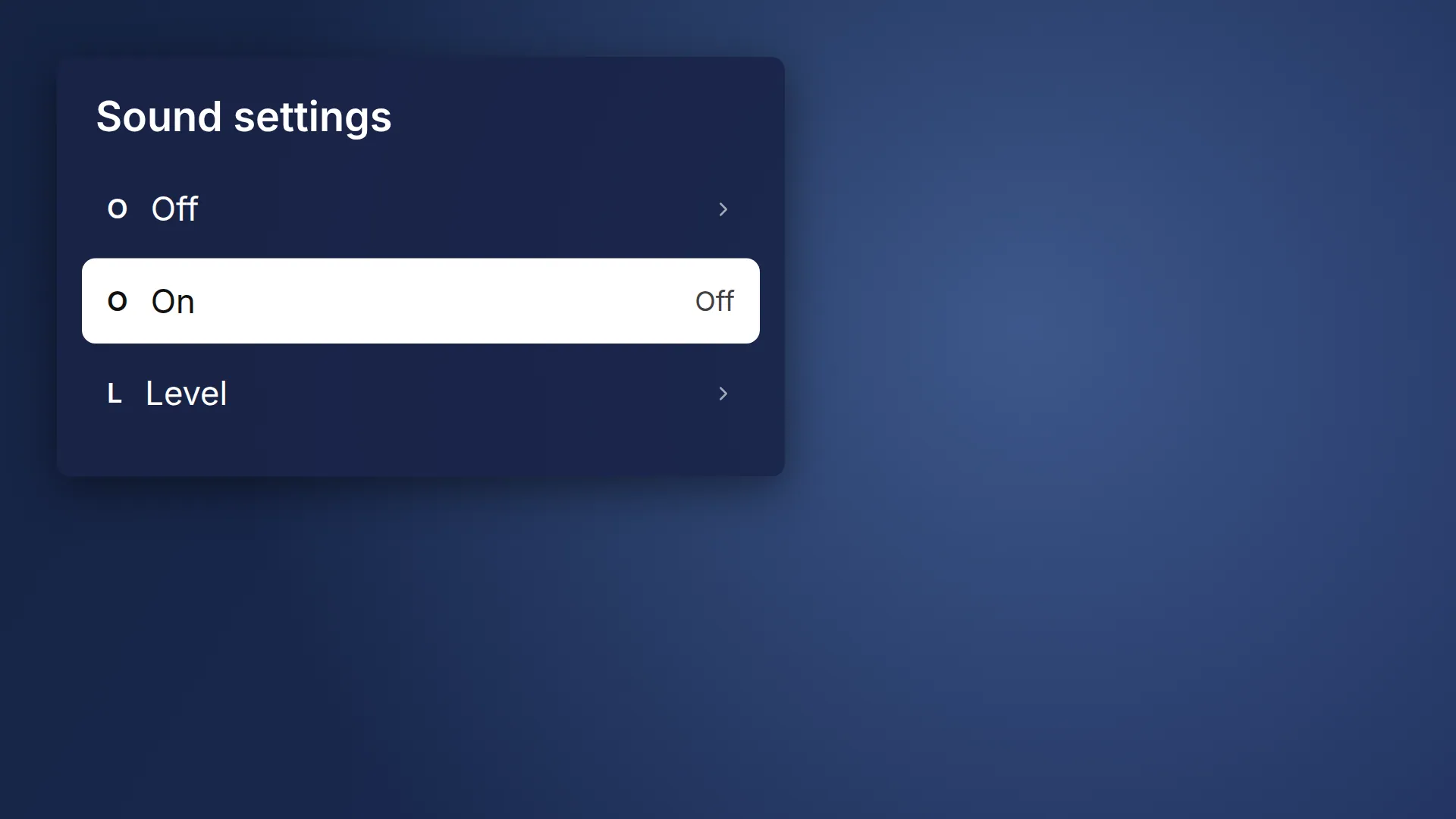
Turn it on and test
Switch the setting on, then play a programme with speech to check it sounds clearer.
IF SOMETHING LOOKS DIFFERENT
A little help along the way.
Your menus may look different after an update. Look for the same control name and take your time.
I cannot find that option+
Check that this guide covers your device and software. If the names do not match, use the manufacturer’s instructions linked below for your model.
I need to go back a step+
Use Previous step or select a step number above. This changes the guide only; it does not undo anything on your device.
Are these pictures of my device?+
They are example screens showing exactly which option to select with your remote. Your names, apps, wallpaper and layout may look a little different, but the options you need are the same. Some pictures show what you should see after a step.